Skip to content

AI-powered software studio in Hyderabad

PMB Informatics
16 live product demos

See how your application will work

Click through real application flows before you build. Each demo uses sample data, runs right in your browser and resets any time — perfect for walking through the process with your team.

Product Demos

Pick a demo and try the flow

Every step works like the real product — orders, bookings, approvals, payments, reminders and more. Each demo has a separate login for every user role.

demo-inventory Inventory Management demo screen Launch demo
Demo 01 · Business operations

Inventory Management

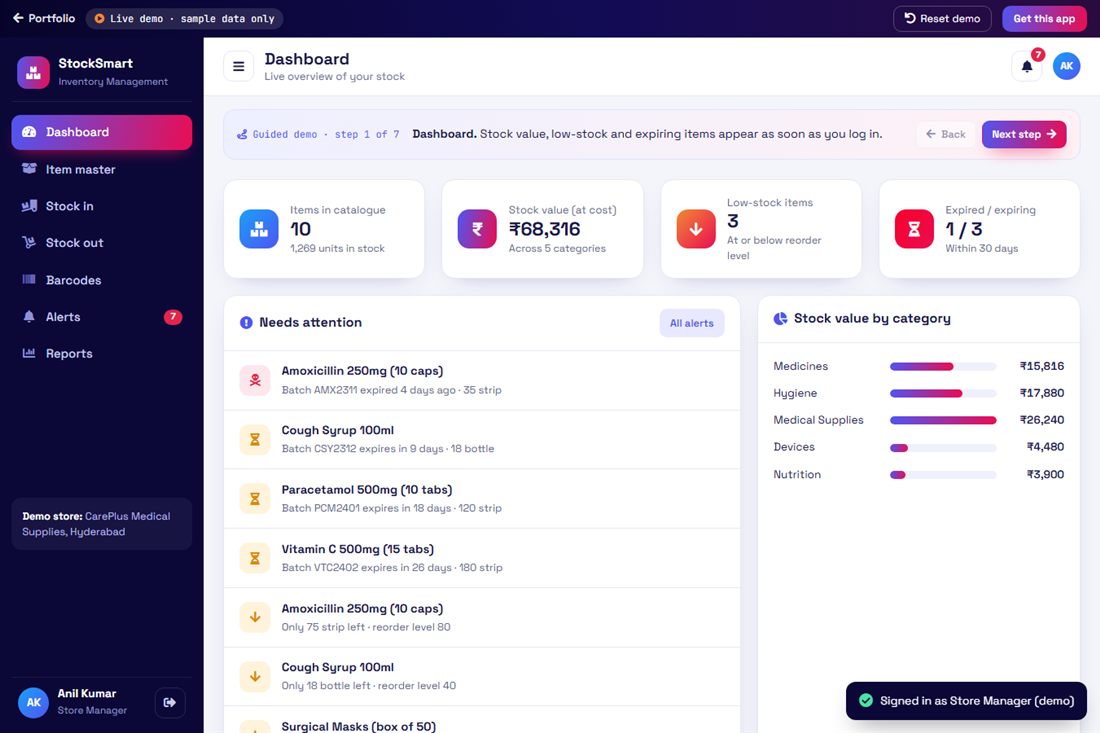
A complete inventory system for shops, pharmacies, distributors and warehouses. Track every item by batch and barcode, record stock in and stock out, and get alerts before stock runs out or expires.

  • Dashboard
  • Item master
  • Stock in (GRN)
  • Stock out (FEFO)
  • Barcode labels & scan
  • Expiry alerts
  • Low-stock alerts
  • Alert messages
  • Stock reports
How the process works 8 steps
  1. 1
    LoginStore manager signs in to the inventory dashboard.
  2. 2
    DashboardStock value, low-stock and expiring items at a glance.
  3. 3
    Item masterEvery item with SKU, barcode, rack, reorder level and batches.
  4. 4
    Stock inReceive goods from a supplier with batch number and expiry date.
  5. 5
    BarcodePrint barcode labels and find any item by scanning its code.
  6. 6
    Stock outIssue or sell stock — the earliest-expiring batch goes out first.
  7. 7
    AlertsExpired, expiring-soon and low-stock items with ready alert messages.
  8. 8
    ReportsFull stock movement history and stock valuation.
demo-hrms HR & Payroll Management demo screen Launch demo
Demo 02 · Business operations

HR & Payroll Management

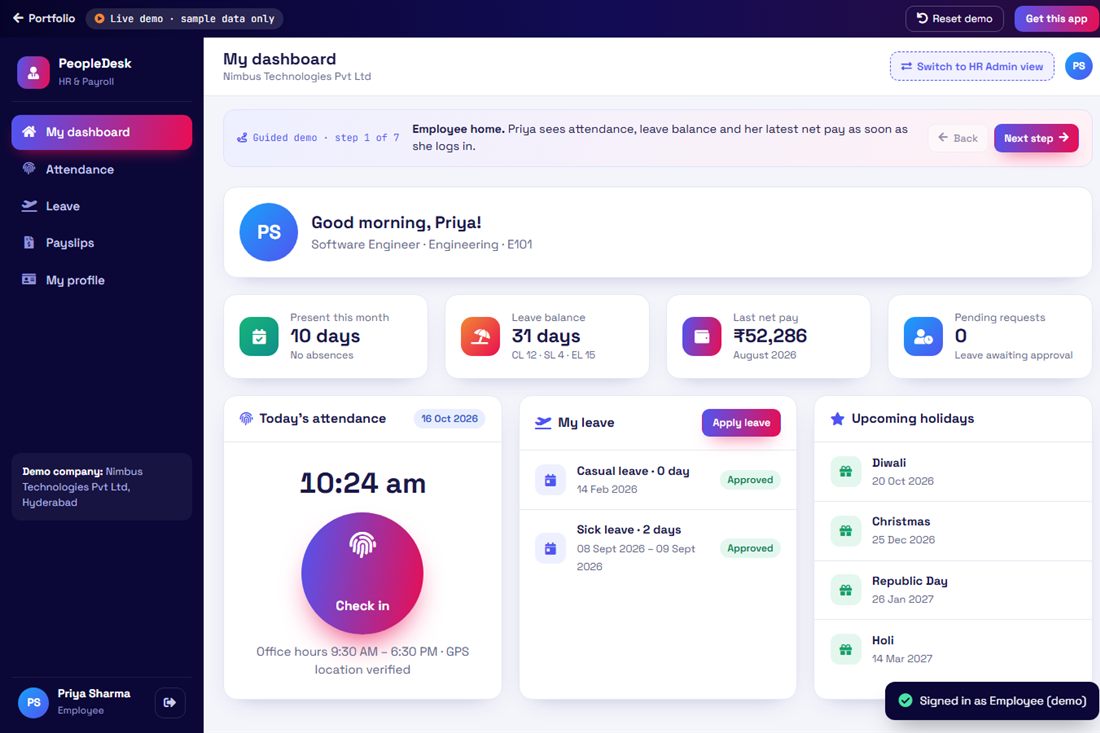
An HR and payroll system for growing companies. Employees mark attendance, apply for leave and download payslips; HR approves leave, runs monthly payroll with PF, ESI, PT and TDS, and manages employee records.

  • Employee login
  • HR admin login
  • Attendance check-in/out
  • Attendance calendar
  • Leave apply & approve
  • Leave balances
  • Payroll run
  • Payslips (PF/ESI/PT/TDS)
  • Employee profiles
How the process works 7 steps
  1. 1
    LoginEmployees and HR sign in with their own role.
  2. 2
    AttendanceEmployee checks in and out; the monthly calendar updates.
  3. 3
    Apply leaveEmployee picks leave type and dates; balance is shown.
  4. 4
    Approve leaveHR reviews requests and approves or rejects them.
  5. 5
    Run payrollHR processes the month: attendance, earnings and deductions.
  6. 6
    PayslipsEmployees view and print payslips with full breakdown.
  7. 7
    Employee infoPersonal, job and bank details in one profile.
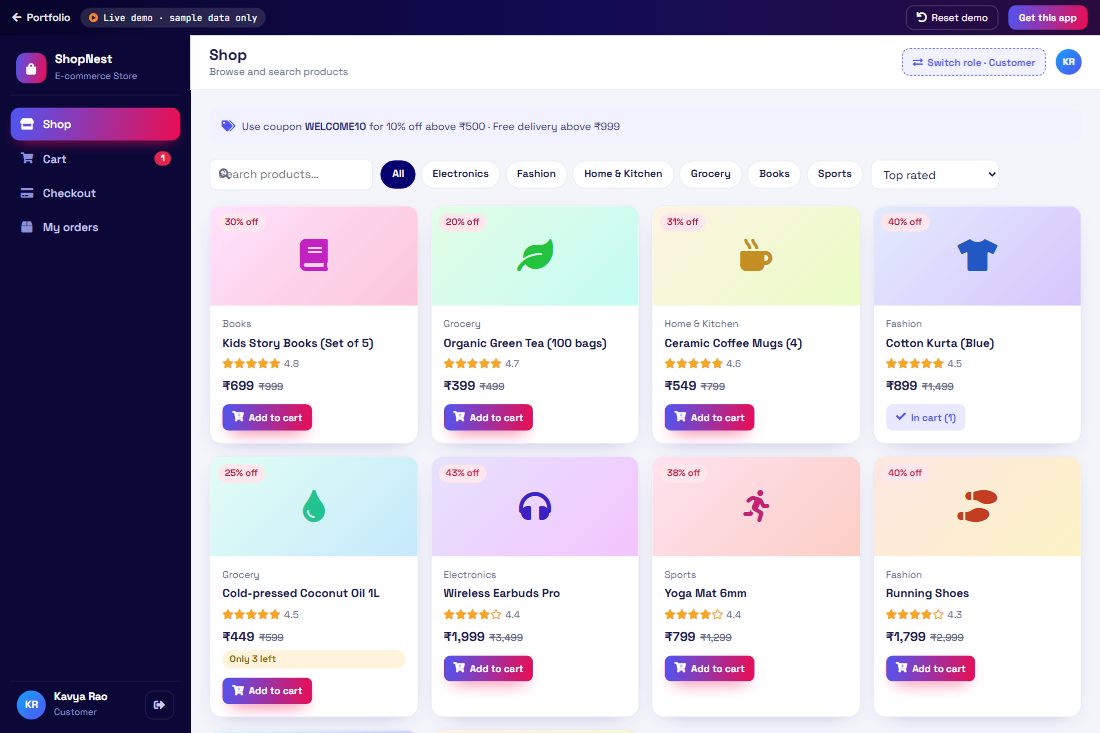
demo-ecommerce E-commerce Store demo screen Launch demo
Demo 03 · Commerce & food

E-commerce Store

A complete online store: customers browse products, add to cart, apply coupons and pay; the store admin manages orders, updates delivery status and keeps product stock up to date.

  • Product catalogue
  • Search & filters
  • Cart & coupons
  • Checkout (UPI / card / COD)
  • Order tracking
  • Admin orders
  • Product & stock management
  • Sales dashboard
How the process works 6 steps
  1. 1
    BrowseCustomer searches and filters products by category and price.
  2. 2
    CartAdds items, changes quantity and applies a coupon code.
  3. 3
    CheckoutEnters address and pays by UPI, card or cash on delivery.
  4. 4
    Admin receivesThe new order appears in the admin panel instantly.
  5. 5
    ShipAdmin packs and ships the order; stock reduces automatically.
  6. 6
    TrackCustomer follows the order from placed to delivered.
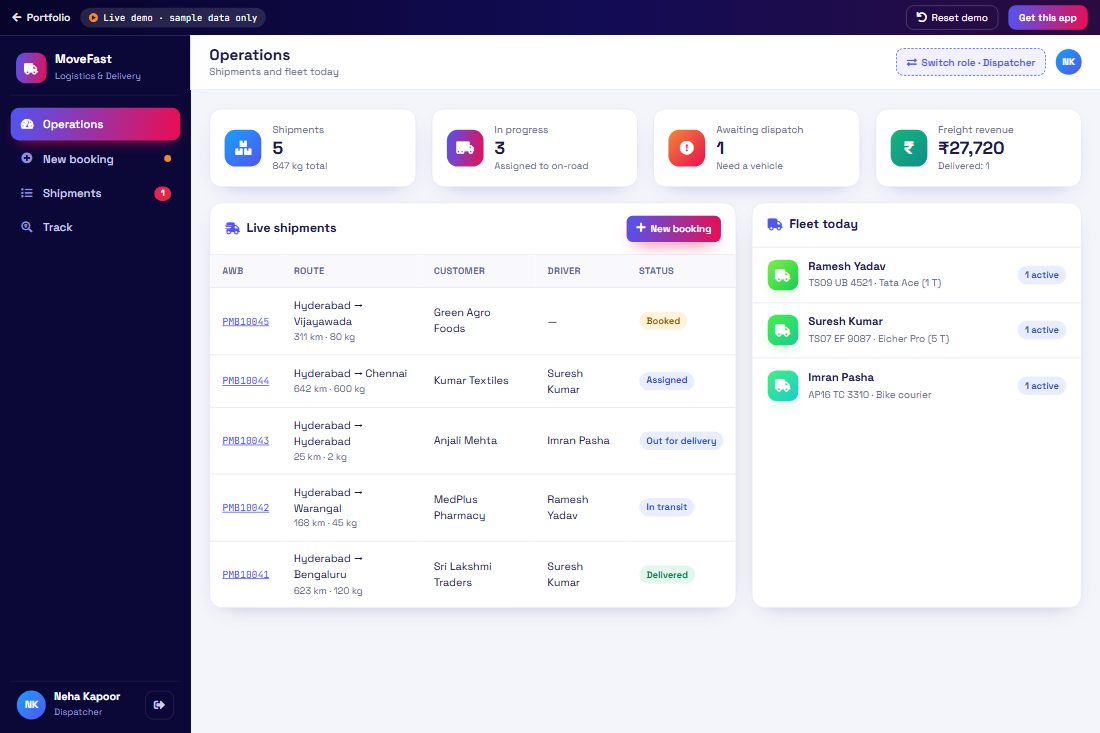
demo-logistics Logistics & Delivery demo screen Launch demo
Demo 04 · Business operations

Logistics & Delivery

A logistics platform for courier and transport companies: book shipments, assign vehicles and drivers, track every consignment by AWB number and capture proof of delivery.

  • Shipment booking
  • Freight calculator
  • AWB numbers
  • Dispatch & vehicle assignment
  • Driver app
  • Live tracking timeline
  • Proof of delivery (OTP)
  • Fleet & reports
How the process works 6 steps
  1. 1
    BookDispatcher books a shipment; freight is calculated by weight and distance.
  2. 2
    AssignShipment is assigned to a vehicle and driver.
  3. 3
    Pick upDriver picks up and updates status from the driver app.
  4. 4
    TrackCustomer tracks the AWB number with a live timeline.
  5. 5
    DeliverDriver delivers and confirms with the customer OTP.
  6. 6
    ReportsOn-time delivery, revenue and fleet usage reports.
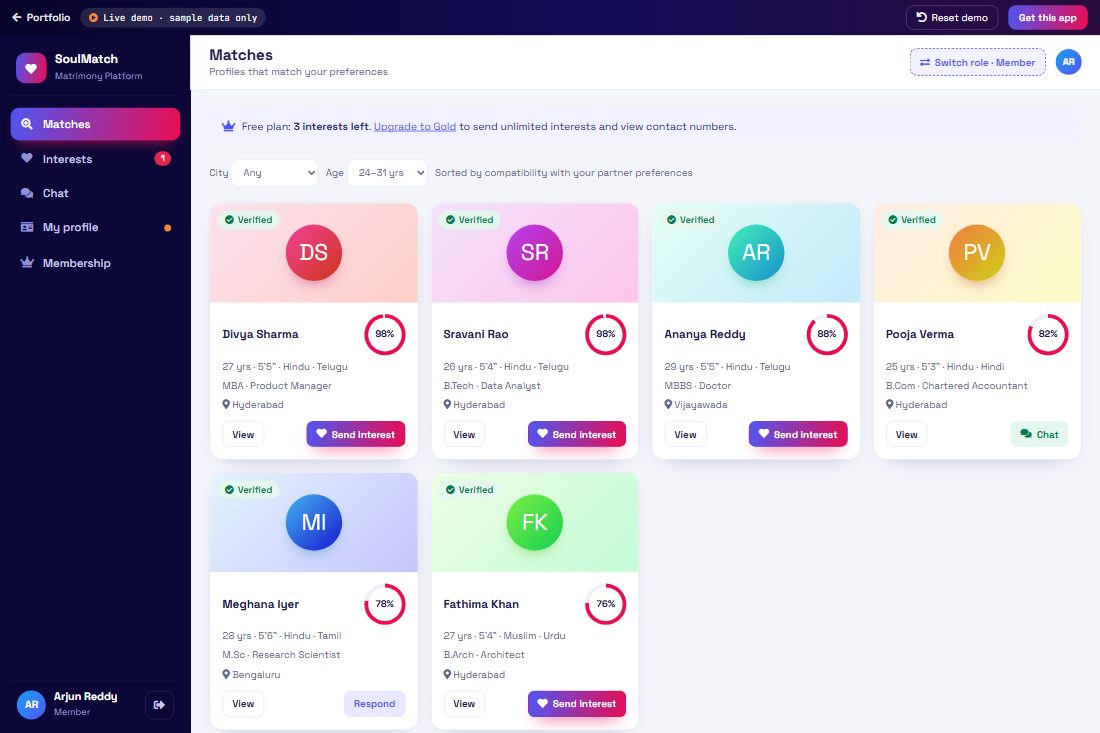
demo-matrimony Matrimony Platform demo screen Launch demo
Demo 05 · Bookings & services

Matrimony Platform

A modern matrimony platform with verified profiles, compatibility-based matches, interest requests, private chat after acceptance, membership plans and an admin panel for verification.

  • Member registration & profile
  • Partner preferences
  • Compatibility matching
  • Send / accept interest
  • Private chat
  • Premium plans
  • Profile verification (admin)
  • Reports
How the process works 6 steps
  1. 1
    ProfileMember creates a profile and sets partner preferences.
  2. 2
    MatchesThe system suggests matches with a compatibility score.
  3. 3
    InterestMember sends an interest; the other member accepts.
  4. 4
    ChatChat unlocks once both members accept.
  5. 5
    PremiumUpgrade to premium to view contacts and more matches.
  6. 6
    VerifyAdmin verifies new profiles before they go live.
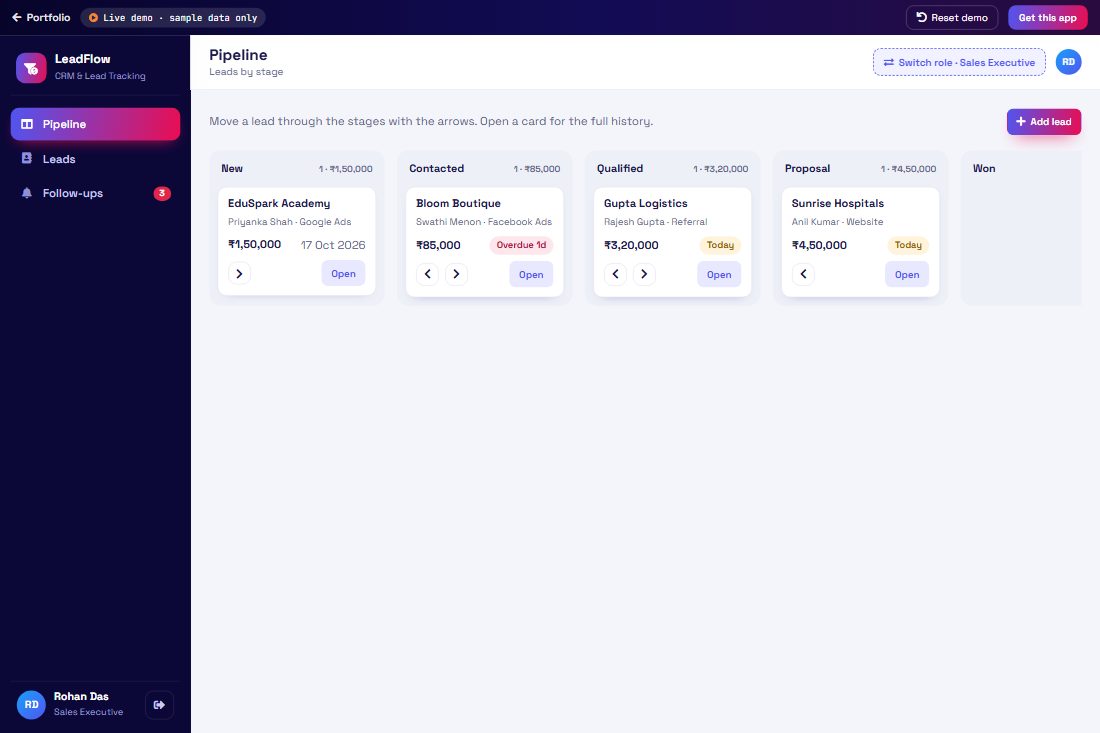
demo-crm CRM & Lead Tracking demo screen Launch demo
Demo 06 · Business operations

CRM & Lead Tracking

A sales CRM to capture leads from every source, move them through the pipeline, never miss a follow-up and see exactly how your team is performing.

  • Lead capture
  • Sales pipeline (kanban)
  • Lead details & activity log
  • Follow-up reminders
  • Deal won / lost
  • Team performance
  • Source reports
How the process works 6 steps
  1. 1
    CaptureLeads arrive from website, WhatsApp, calls and ads.
  2. 2
    PipelineEach lead moves New → Contacted → Proposal → Won.
  3. 3
    ActivityEvery call, meeting and note is logged on the lead.
  4. 4
    Follow-upReminders show today’s and overdue follow-ups.
  5. 5
    CloseMark the deal won or lost with its value.
  6. 6
    ReportsManager sees conversion, revenue and team ranking.
demo-restaurant Hotel & Restaurant POS demo screen Launch demo
Demo 07 · Commerce & food

Hotel & Restaurant POS

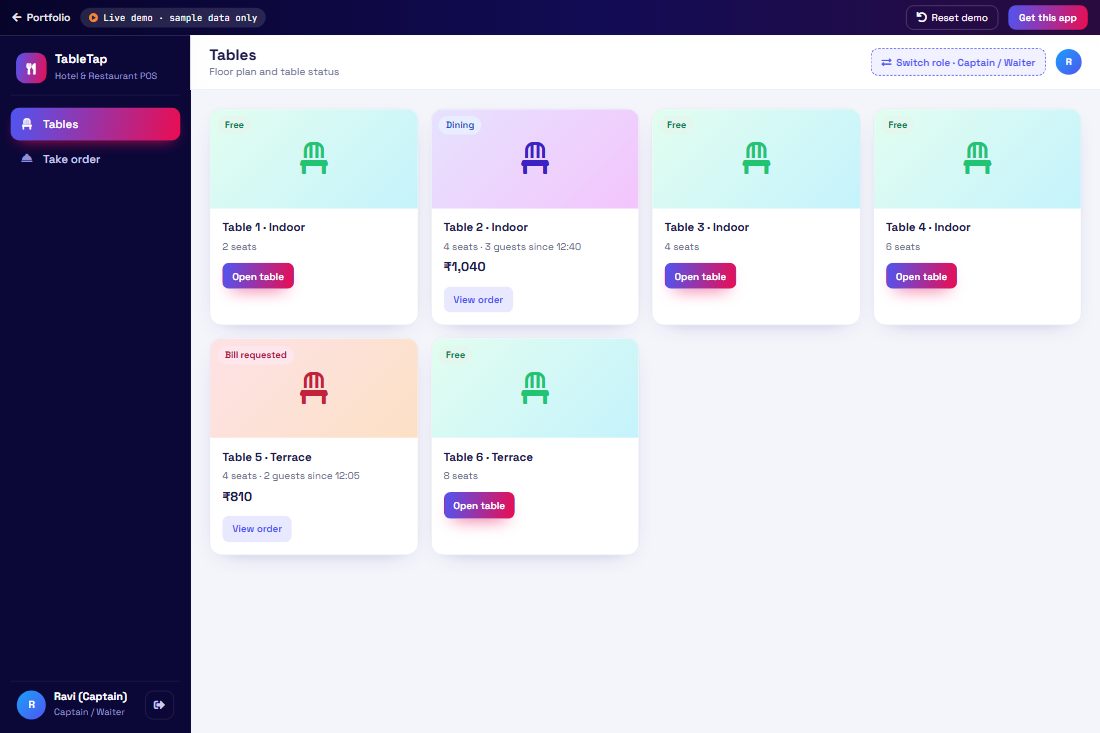
A restaurant and hotel management system: waiters take table orders on a tablet, the kitchen sees tickets live, the cashier prints GST bills, and the front desk manages room bookings.

  • Table layout
  • Order taking
  • Kitchen display (KOT)
  • Billing with GST
  • Split / settle payment
  • Room booking
  • Menu management
  • Daily sales report
How the process works 6 steps
  1. 1
    TableCaptain opens a free table and starts the order.
  2. 2
    OrderAdds dishes and sends the KOT to the kitchen.
  3. 3
    KitchenChef marks items preparing and ready.
  4. 4
    BillCashier generates the GST bill and settles payment.
  5. 5
    RoomsFront desk books rooms and checks guests in and out.
  6. 6
    ReportsOwner sees daily sales, top dishes and occupancy.
demo-cms Content Management (CMS) demo screen Launch demo
Demo 08 · Business operations

Content Management (CMS)

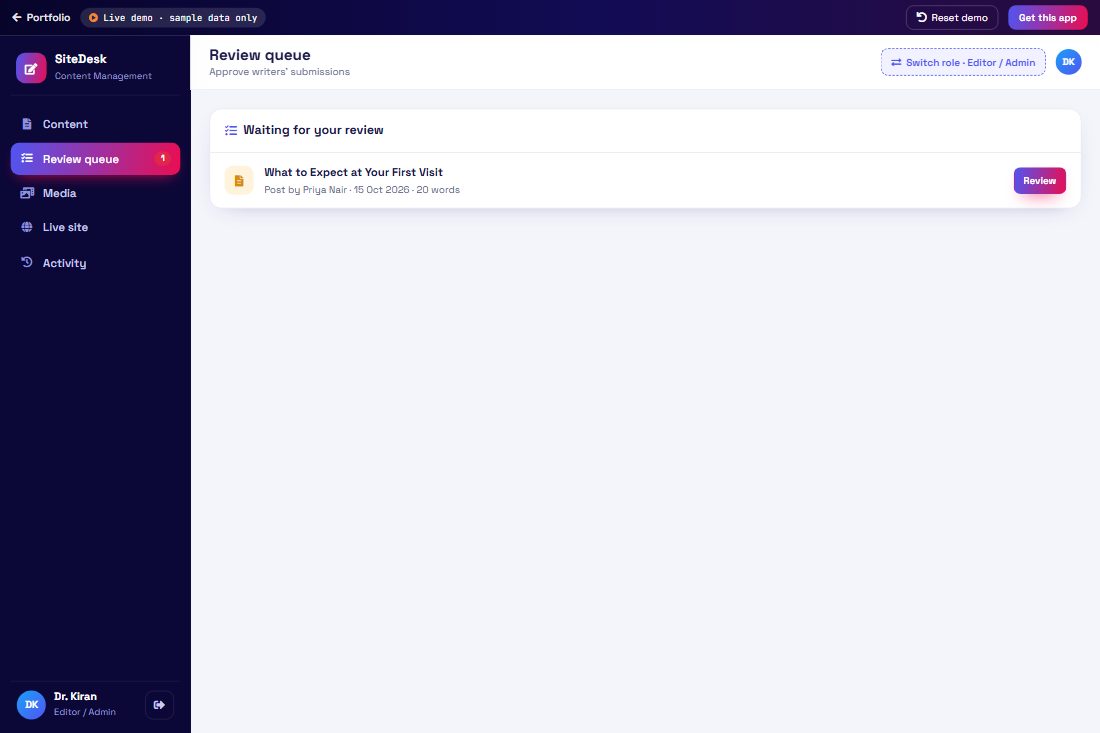
A content management system so your team can update the website without a developer: write pages and blog posts, upload media, send for approval and publish with one click.

  • Pages & posts
  • Rich editor with preview
  • SEO title & description
  • Media library
  • Draft → review → publish
  • Menus
  • User roles
  • Activity log
How the process works 6 steps
  1. 1
    WriteWriter creates a blog post or page in the editor.
  2. 2
    SEOAdds SEO title, description and a featured image.
  3. 3
    ReviewSends it for review; the editor gets notified.
  4. 4
    ApproveEditor reviews the preview and publishes it.
  5. 5
    LiveThe page goes live on the website instantly.
  6. 6
    TrackEvery change is recorded in the activity log.
demo-realestate Real Estate Portal demo screen Launch demo
Demo 09 · Bookings & services

Real Estate Portal

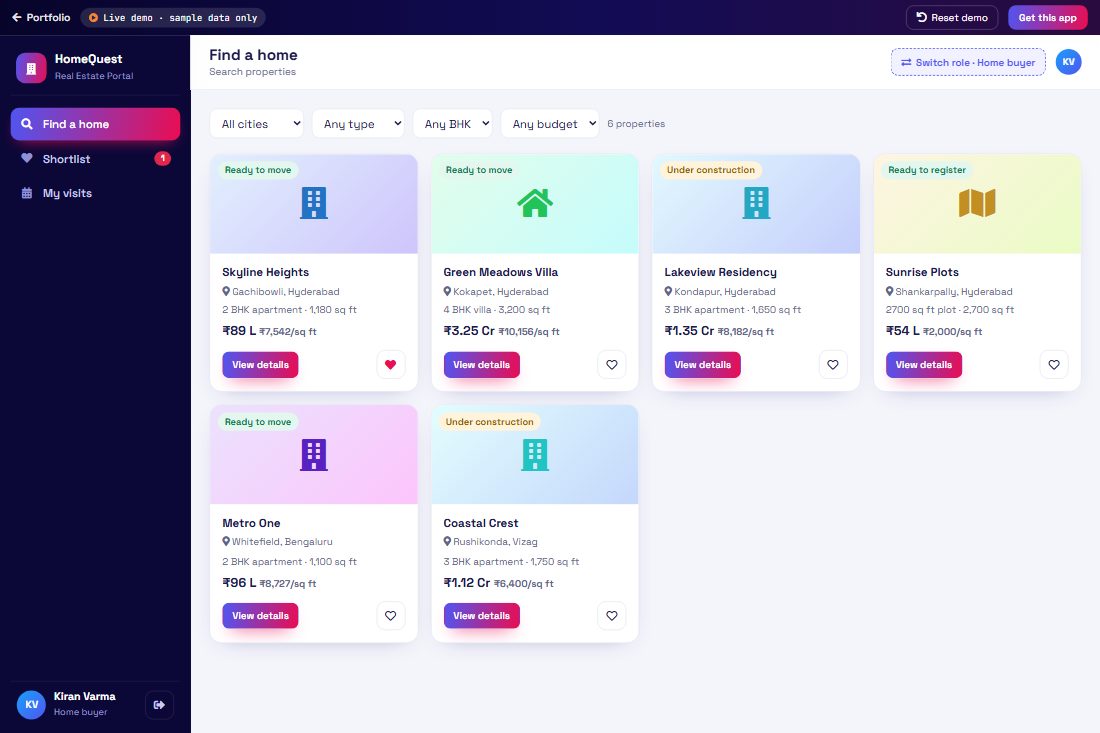
A real estate portal for builders and agents: list properties with prices and amenities, let buyers filter, shortlist and book site visits, and manage every enquiry from the agent dashboard.

  • Property listings
  • Search & filters
  • Property details & EMI calculator
  • Shortlist
  • Site visit booking
  • Agent dashboard
  • Lead management
  • Add listing
How the process works 6 steps
  1. 1
    SearchBuyer filters by city, budget, BHK and type.
  2. 2
    DetailsViews price, amenities, location and EMI estimate.
  3. 3
    ShortlistSaves favourite properties to compare.
  4. 4
    Site visitBooks a site visit slot with the agent.
  5. 5
    AgentAgent confirms the visit and updates the lead.
  6. 6
    CloseLead moves to negotiation and booking.
demo-interior Interior Design Studio demo screen Launch demo
Demo 10 · Bookings & services

Interior Design Studio

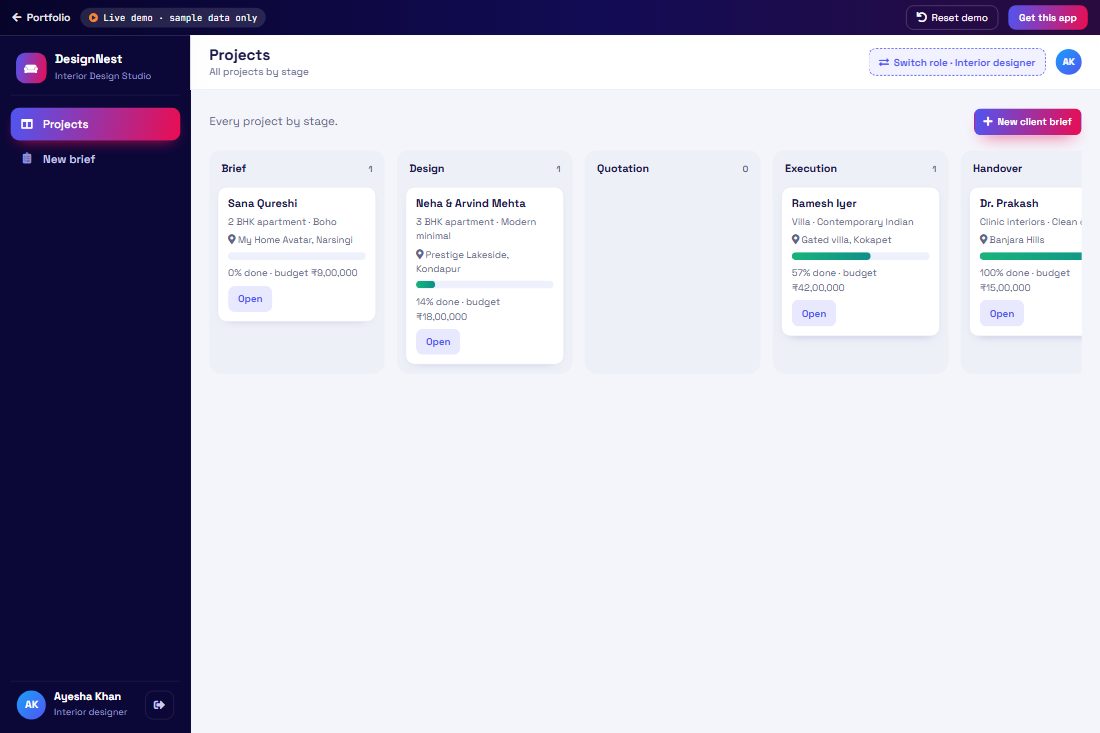
A project management app for interior designers: capture the client brief, share designs for approval, send room-wise quotations, track site work stage by stage and collect milestone payments.

  • Client brief
  • Projects
  • Design approvals
  • Room-wise quotation (BOQ)
  • Site progress milestones
  • Milestone payments
  • Client portal
How the process works 6 steps
  1. 1
    BriefDesigner records the client’s rooms, style and budget.
  2. 2
    DesignUploads designs; the client approves or requests changes.
  3. 3
    QuotationSends a room-wise quotation the client can accept.
  4. 4
    ExecutionSite work is tracked milestone by milestone.
  5. 5
    PaymentsMilestone invoices are raised and paid.
  6. 6
    HandoverProject is completed and handed over.
demo-service-centre Service Centre & Salon demo screen Launch demo
Demo 11 · Bookings & services

Service Centre & Salon

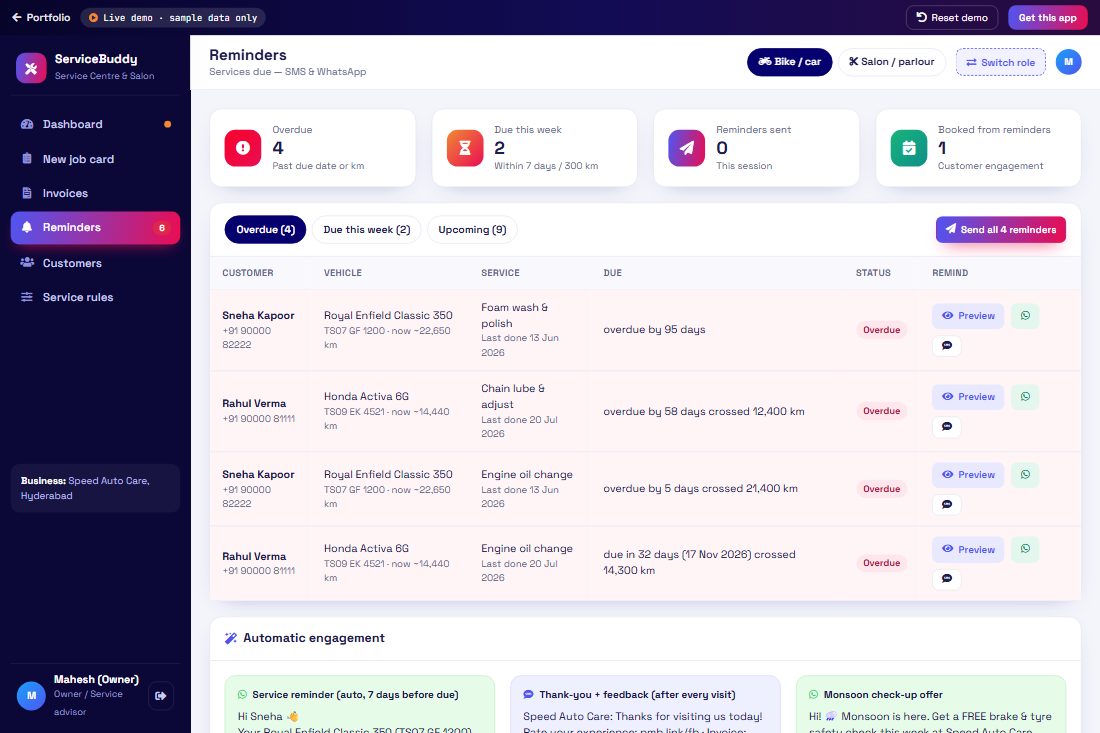
One app for vehicle service centres and salons or beauty parlours. Record each visit with a job card, generate the invoice, and the system calculates the next service due date (by time or kilometres) and sends SMS and WhatsApp reminders to bring customers back.

  • Customer & vehicle records
  • Job card (services & parts)
  • Invoice with GST
  • Service validity rules
  • Next service due
  • SMS / WhatsApp reminders
  • Salon & parlour mode
  • Customer engagement
How the process works 6 steps
  1. 1
    Check-inCustomer’s bike or car (or salon visit) is registered.
  2. 2
    Job cardAdvisor records work done — general service, engine oil, parts.
  3. 3
    InvoiceInvoice is generated with labour, parts and GST.
  4. 4
    Next dueEach service has a validity, e.g. 3 months or 3,000 km.
  5. 5
    ReminderWhen due, SMS and WhatsApp reminders go to the customer.
  6. 6
    ReturnCustomer books the next service — repeat business.
demo-chatbot AI Chatbot demo screen Launch demo
Demo 12 · AI

AI Chatbot

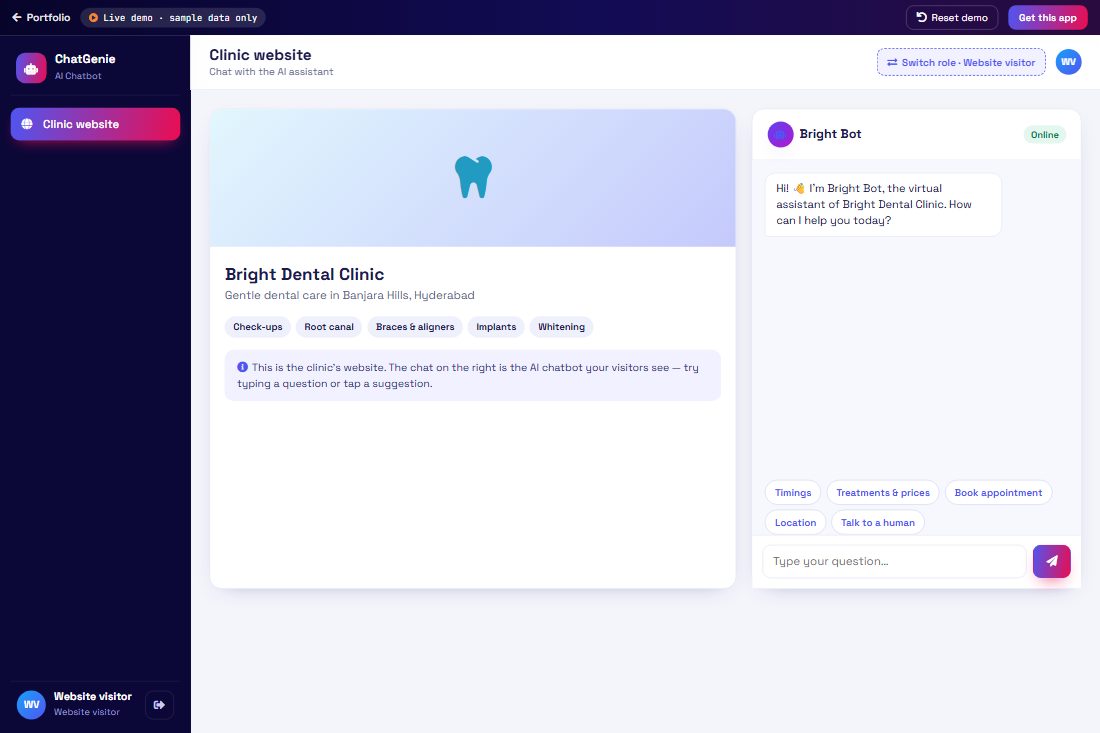
An AI chatbot for your website and WhatsApp that answers questions, captures leads, books appointments and hands over to your team when needed — with an admin panel to train it and see every conversation.

  • Chat widget
  • FAQ answers
  • Lead capture
  • Appointment booking
  • Human handover
  • Conversation inbox
  • Bot training (intents)
  • Analytics
How the process works 6 steps
  1. 1
    Visitor asksA visitor chats on the website or WhatsApp.
  2. 2
    Bot answersThe bot understands the question and replies instantly.
  3. 3
    LeadIt collects name and phone and creates a lead.
  4. 4
    BookBooks an appointment slot for the visitor.
  5. 5
    HandoverComplex queries go to a human agent.
  6. 6
    TrainAdmin adds new questions and answers to train the bot.
demo-travel Travel Booking demo screen Launch demo
Demo 13 · Bookings & services

Travel Booking

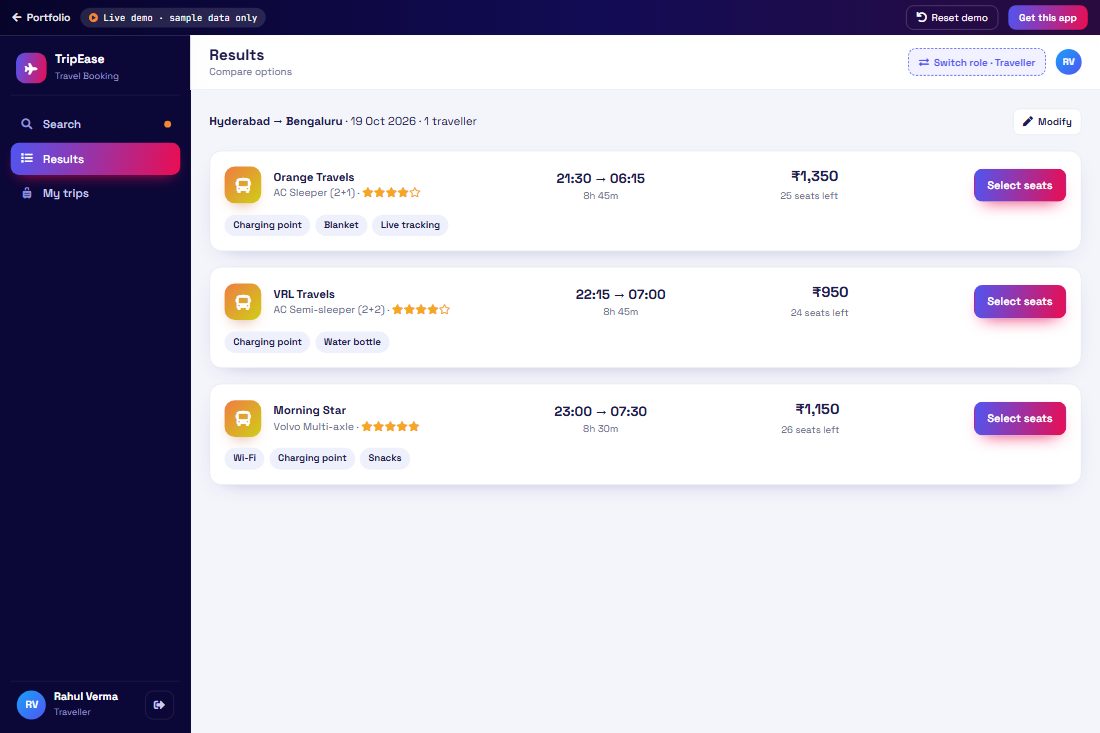
A travel booking platform for agencies: search buses, flights and hotels, pick seats, book with passenger details, get e-tickets and manage trips, cancellations and refunds.

  • Bus search & seat map
  • Flight search
  • Hotel search
  • Passenger details
  • Payment
  • E-ticket with QR
  • My trips
  • Cancellation & refund
  • Agent bookings report
How the process works 6 steps
  1. 1
    SearchTraveller searches buses, flights or hotels by route and date.
  2. 2
    CompareCompares timings, fares, ratings and amenities.
  3. 3
    SelectPicks seats on the bus seat map or a room type.
  4. 4
    DetailsAdds passenger details and pays.
  5. 5
    E-ticketGets an e-ticket with PNR and QR code.
  6. 6
    ManageViews trips and cancels with an instant refund estimate.
demo-food Online Food Ordering demo screen Launch demo
Demo 14 · Commerce & food

Online Food Ordering

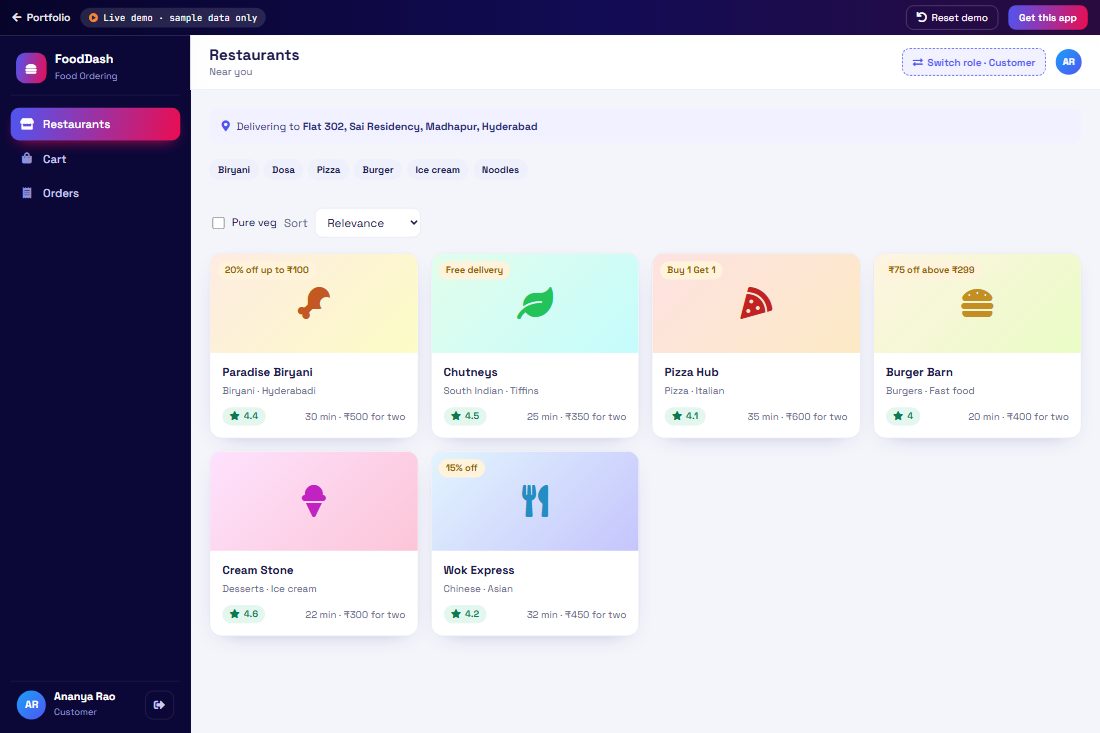
A food delivery platform like Swiggy or Zomato with three apps in one: customers order from nearby restaurants, restaurants accept and prepare orders, and delivery partners pick up and deliver with live status.

  • Restaurant listing
  • Menu & cart
  • Coupons & checkout
  • Live order tracking
  • Restaurant order panel
  • Delivery partner app
  • Ratings
  • Earnings
How the process works 6 steps
  1. 1
    ChooseCustomer picks a restaurant and adds dishes to the cart.
  2. 2
    PayApplies a coupon and places the order.
  3. 3
    AcceptRestaurant accepts the order and starts preparing.
  4. 4
    Pick upDelivery partner accepts and picks up the food.
  5. 5
    TrackCustomer tracks every step live.
  6. 6
    RateOrder delivered — customer rates food and delivery.
demo-school School Management demo screen Launch demo
Demo 15 · Education

School Management

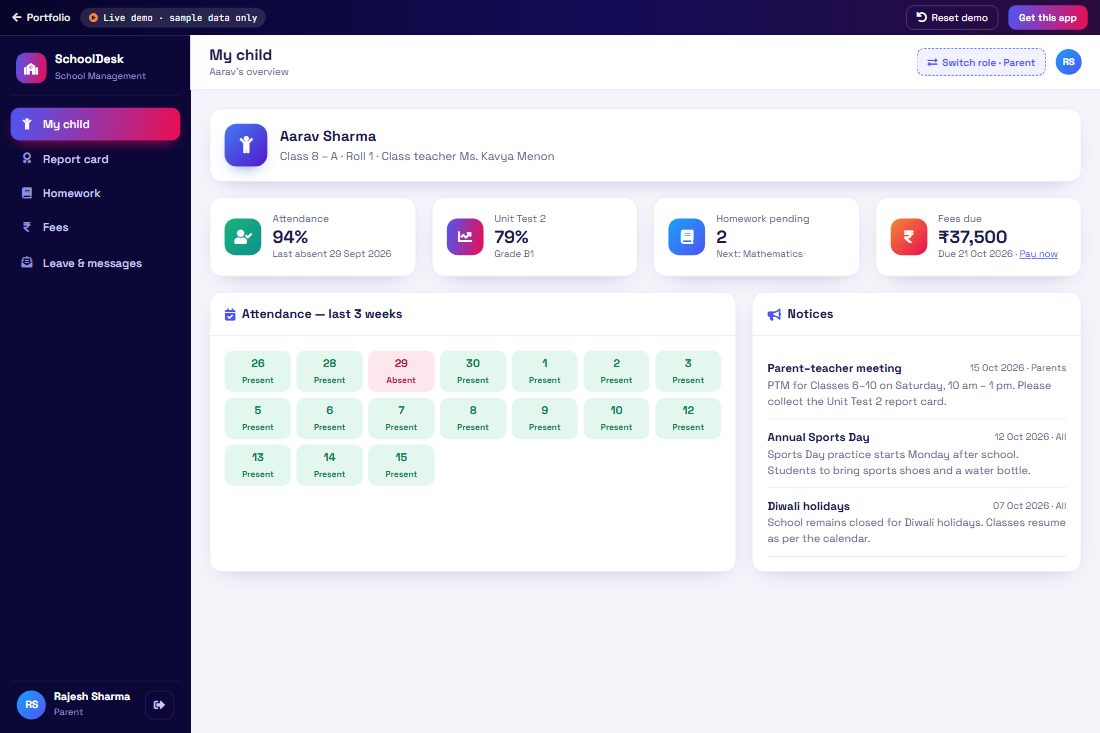
A school management system with separate logins: teachers mark attendance, give homework and enter marks; parents track attendance, results, fees and notices; students see their timetable and submit homework.

  • Teacher login
  • Parent login
  • Student login
  • Class attendance
  • Homework & submissions
  • Marks & report card
  • Fee payments
  • Timetable
  • Notice board
How the process works 6 steps
  1. 1
    AttendanceTeacher marks class attendance; absent students’ parents are notified.
  2. 2
    HomeworkTeacher posts homework with a due date.
  3. 3
    SubmitStudent sees the homework and submits it.
  4. 4
    MarksTeacher enters exam marks; report cards are generated.
  5. 5
    Parent viewParent checks attendance, results and notices.
  6. 6
    FeesParent pays the term fee online and gets a receipt.
demo-tutoring Online Tutoring demo screen Launch demo
Demo 16 · Education

Online Tutoring

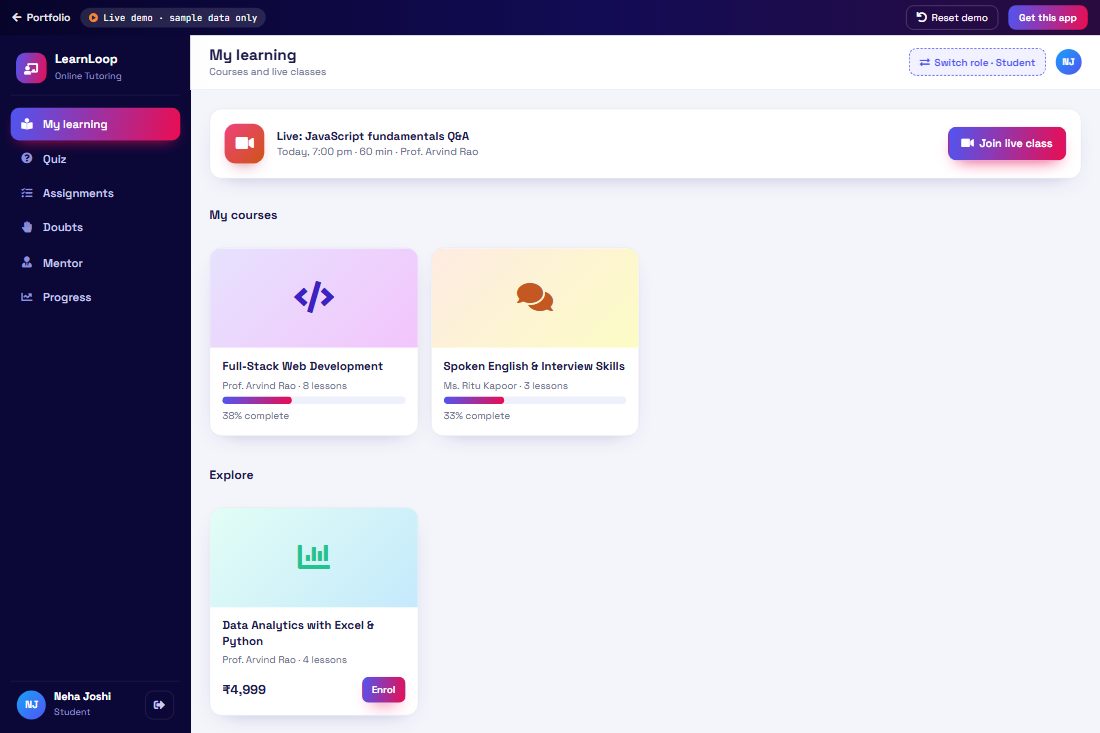
An online learning platform: teachers create courses, schedule live classes and grade assignments; students enrol, join classes and submit work; mentors track each student’s progress and give guidance.

  • Teacher login
  • Student login
  • Mentor login
  • Courses & lessons
  • Live class schedule
  • Assignments & grading
  • Progress tracking
  • Mentor feedback & sessions
How the process works 6 steps
  1. 1
    CourseTeacher creates a course with lessons and a class schedule.
  2. 2
    EnrolStudent enrols and sees upcoming live classes.
  3. 3
    Live classStudent joins the class; attendance is recorded.
  4. 4
    AssignmentStudent submits the assignment; teacher grades it.
  5. 5
    ProgressMentor reviews progress and at-risk students.
  6. 6
    MentoringMentor books a one-to-one session and leaves feedback.
About These Demos

Safe to show anyone

Sample data only

All customers, items, employees and figures are made up. Nothing you enter is sent to or saved on our server.

Guided walkthrough

A step-by-step guide inside each demo takes you through the full process in the right order.

Reset any time

Press Reset demo to start again with fresh sample data — great before every client meeting.

AI Powered Digital Agency

Want a demo for your business?

Tell us about your process — billing, school, hospital, CRM or anything else — and we’ll prepare a demo and a clear quote.

  • AI Solutions
  • Web Development
  • Mobile Apps
  • UI/UX Design
  • Branding
  • Digital Marketing
  • E-commerce
Start Project

Connect with PMB Informatics

We only use your details to reply to this enquiry. Privacy Policy